
Try-on models and credits
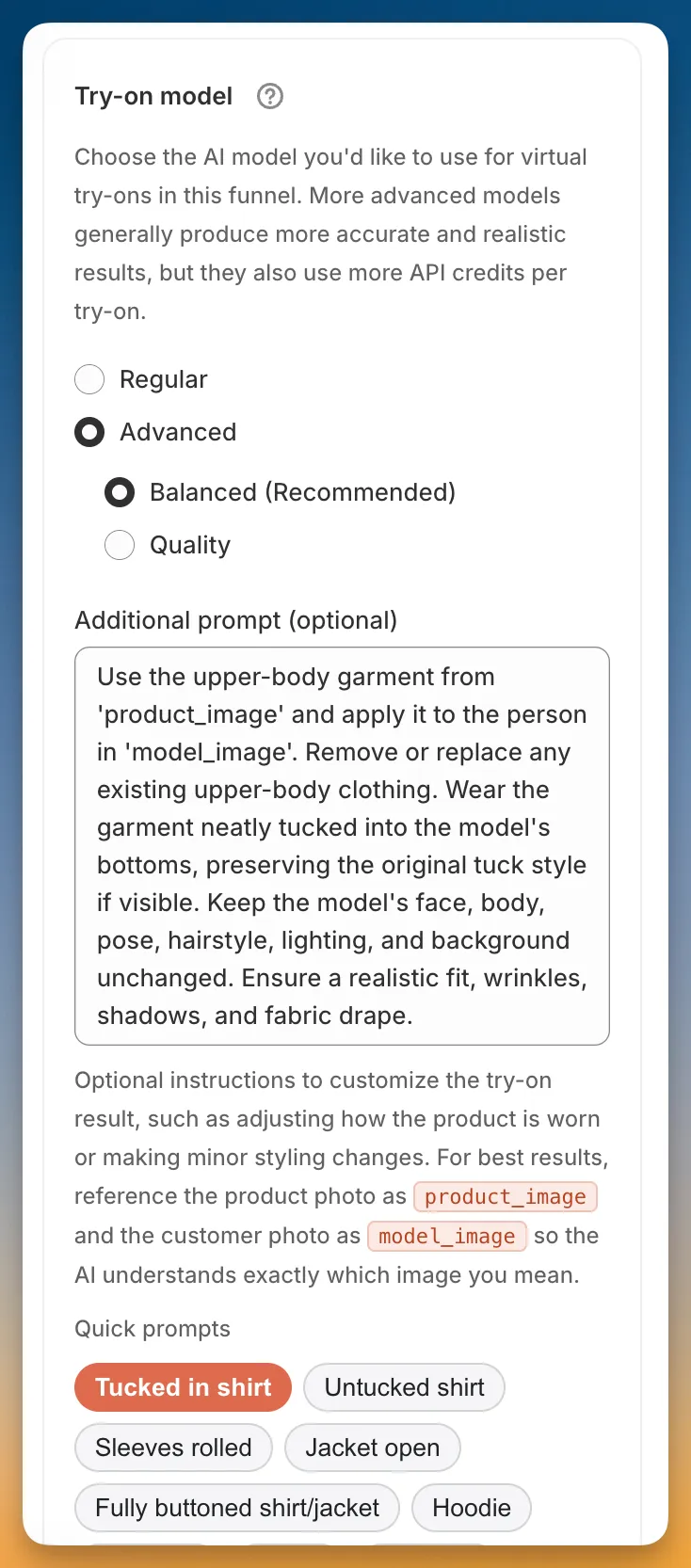
The try-on model affects image quality and the number of credits used for each generation.
Model options
Section titled “Model options”| Model | Credits | Notes |
|---|---|---|
| Regular | 1 | Standard quality |
| Advanced → Balanced (Recommended) | 2 | Default option |
| Advanced → Quality | 3 | Highest quality |
Additional prompt
Section titled “Additional prompt”Advanced models and all accessory product types include an optional Additional prompt field. Use it to describe any extra details you want Icona to consider. The field accepts up to 600 characters.
You can also click a quick prompt to add a common phrase without typing it yourself.
Use product_image to refer to your product image and model_image to refer to the customer-uploaded photo.
Credit cost per try-on
Section titled “Credit cost per try-on”Icona deducts credits after each completed generation. The number of credits depends on the model selected for that funnel.
See Plans and credits to learn how your allowance works across all funnels.